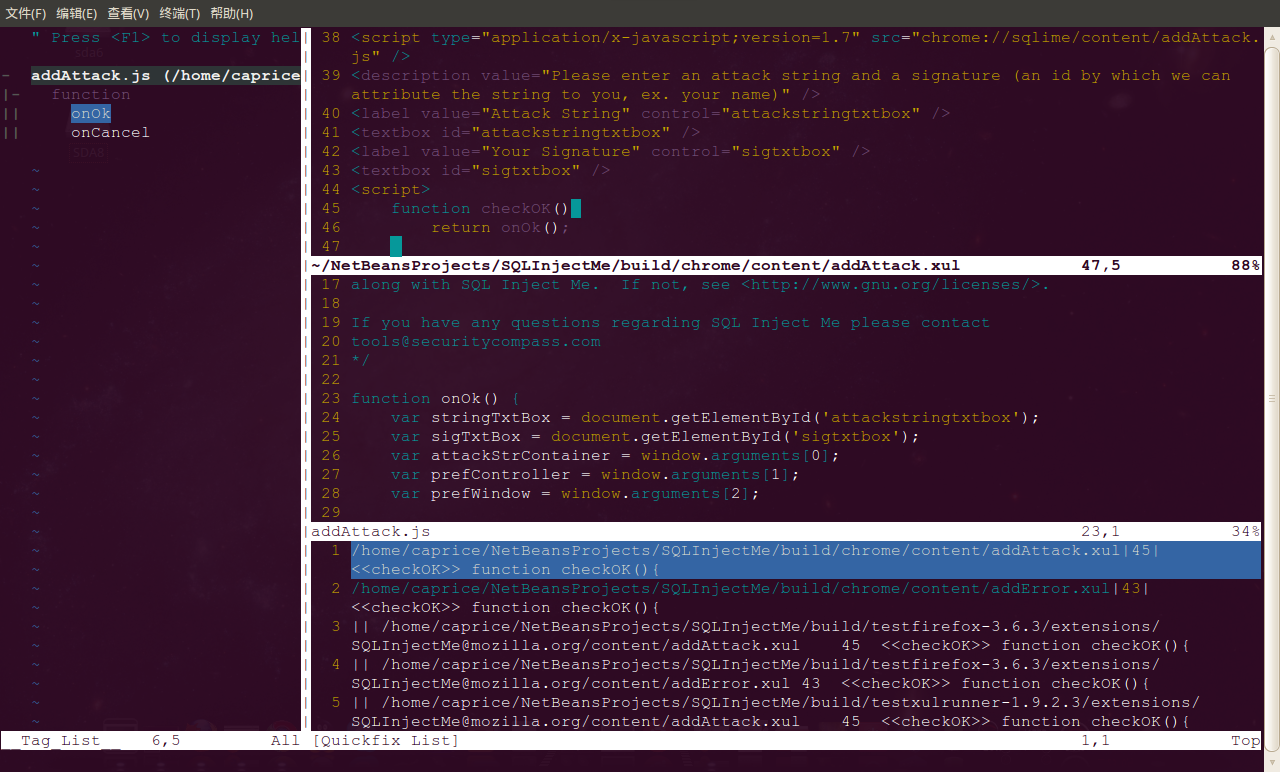
一直没有找到一个好用的xul代码阅读工具,无奈,还是拾起我的vim。捣腾了一下,基本的函数定义跳转、调用查找、关键词跳转、引用查找都没有问题了。
- vim的xul语法着色
下载并安装vim的语法定义文件:http://www.vim.org/scripts/script.php?script_id=1937
- 使用cscope生成索引数据库文件
#!/bin/bash
find `pwd` -name "*.js" -o -name "*.xul" > cscope.files
cscope -Rb
- 编辑.vimrc
autocmd FileType xul call XUL()
fun! XUL()
   set expandtab
   set tabstop=4
   set softtabstop=4
   set shiftwidth=4
   set expandtab
   set tags+=/usr/include/tags,/usr/local/include/tags
   set path+=/usr/local/include

   cs add /YOUR_ABSOLUTE_PATH_TO_CSCOPE.OUT/cscope.out


   "查找当前选中的C符号(函数名、宏、结构体、变量名等)
   nmap <C-@>s :cs find s <C-R>=expand("<cword>")<CR><CR>

   "查找定义
   nmap <C-@>g :cs find g <C-R>=expand("<cword>")<CR><CR>

   "查找调用本函数的所有函数
   nmap <C-@>c :cs find c <C-R>=expand("<cword>")<CR><CR>

   "查找本函数调用的所有函数
   nmap <C-@>d :cs find d <C-R>=expand("<cword>")<CR><CR>

   "查找当前选中的字符串
   nmap <C-@>t :cs find t <C-R>=expand("<cword>")<CR><CR>

   "查找egrep模式字符串
   nmap <C-@>e :cs find e <C-R>=expand("<cword>")<CR><CR>

   "查找当前选中的文件名
   nmap <C-@>f :cs find f <C-R>=expand("<cfile>")<CR><CR>

   "查找包含当前文件的所有文件
   nmap <C-@>i :cs find i ^<C-R>=expand("<cfile>")<CR><CR>
endfun " endfun XUL
附上我的vim效果图